Your data at a glance
Use the channels and sensors in your transmitter CSV to display steering, throttle, times and other recorded values.
Tools / Telemetry and video
Design telemetry overlays for your RC videos from RadioMaster MT12 logs. Export with transparency for your video editor.
Bring your transmitter inputs into your videos.
Turn your RadioMaster MT12 logs into transparent overlays for your RC videos. Design the indicators and bring them into your video editor.
Choose the installer for your system on GitHub Releases.
Source code and documentation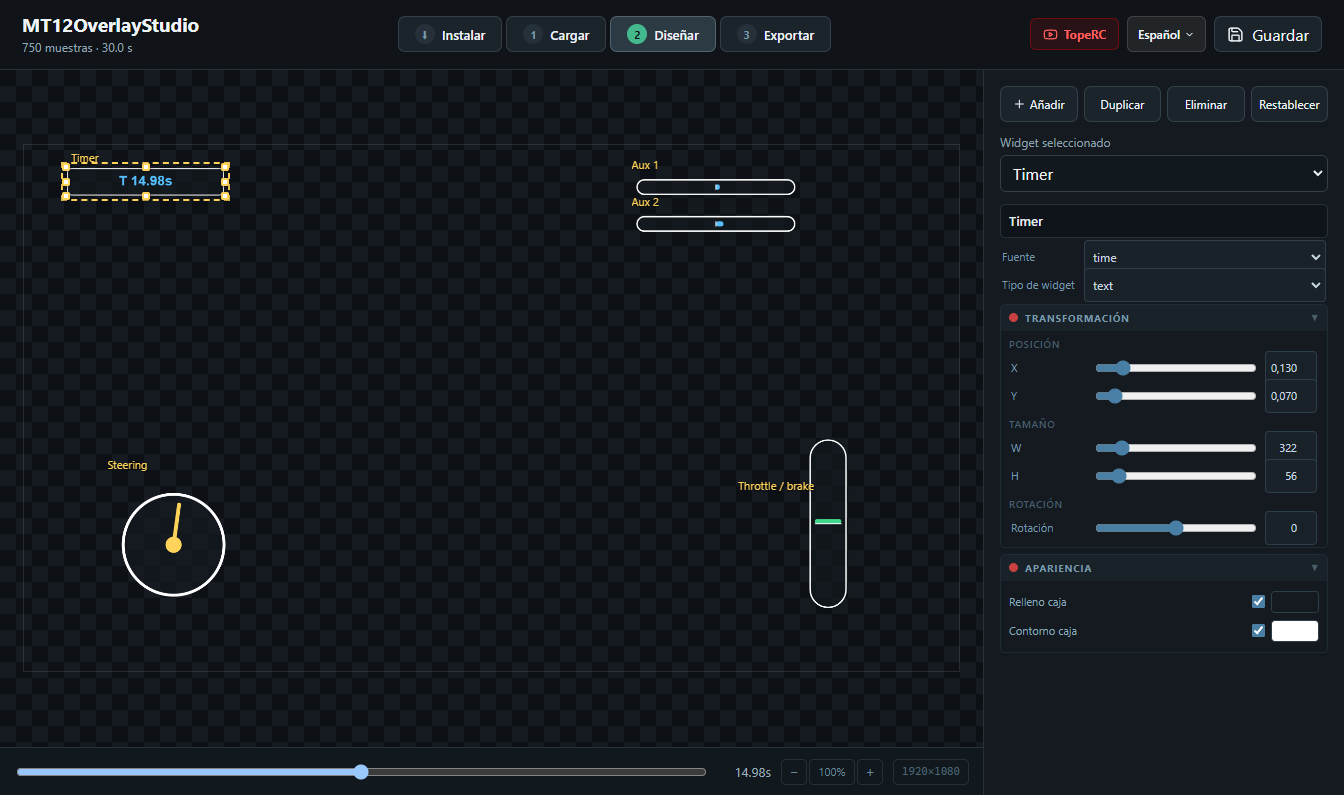
FROM LOG TO EDIT
Use the channels and sensors in your transmitter CSV to display steering, throttle, times and other recorded values.
Combine gauges, bars, charts and text. Adjust their position, size and colours while previewing your session.
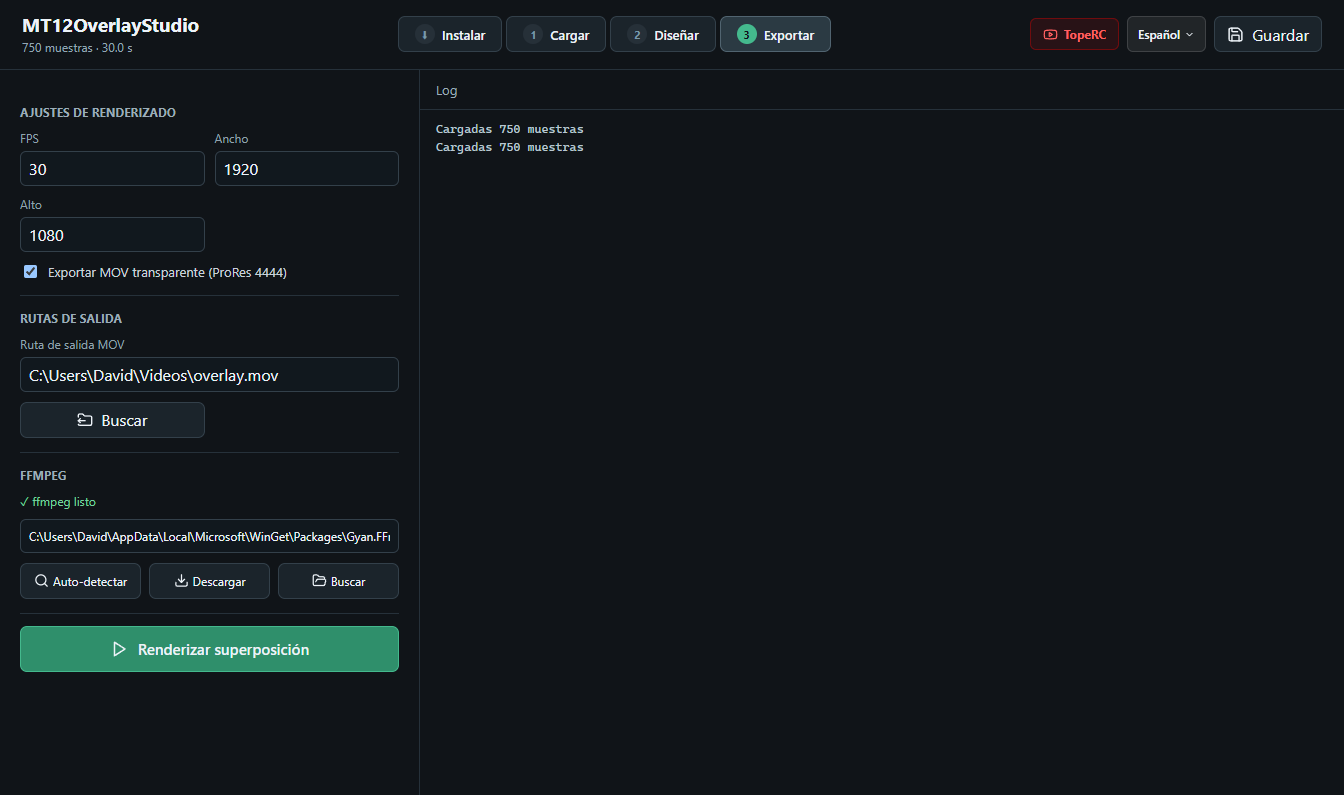
Generate a ProRes 4444 MOV video or a PNG image sequence to overlay the result in your edit.
HOW IT WORKS
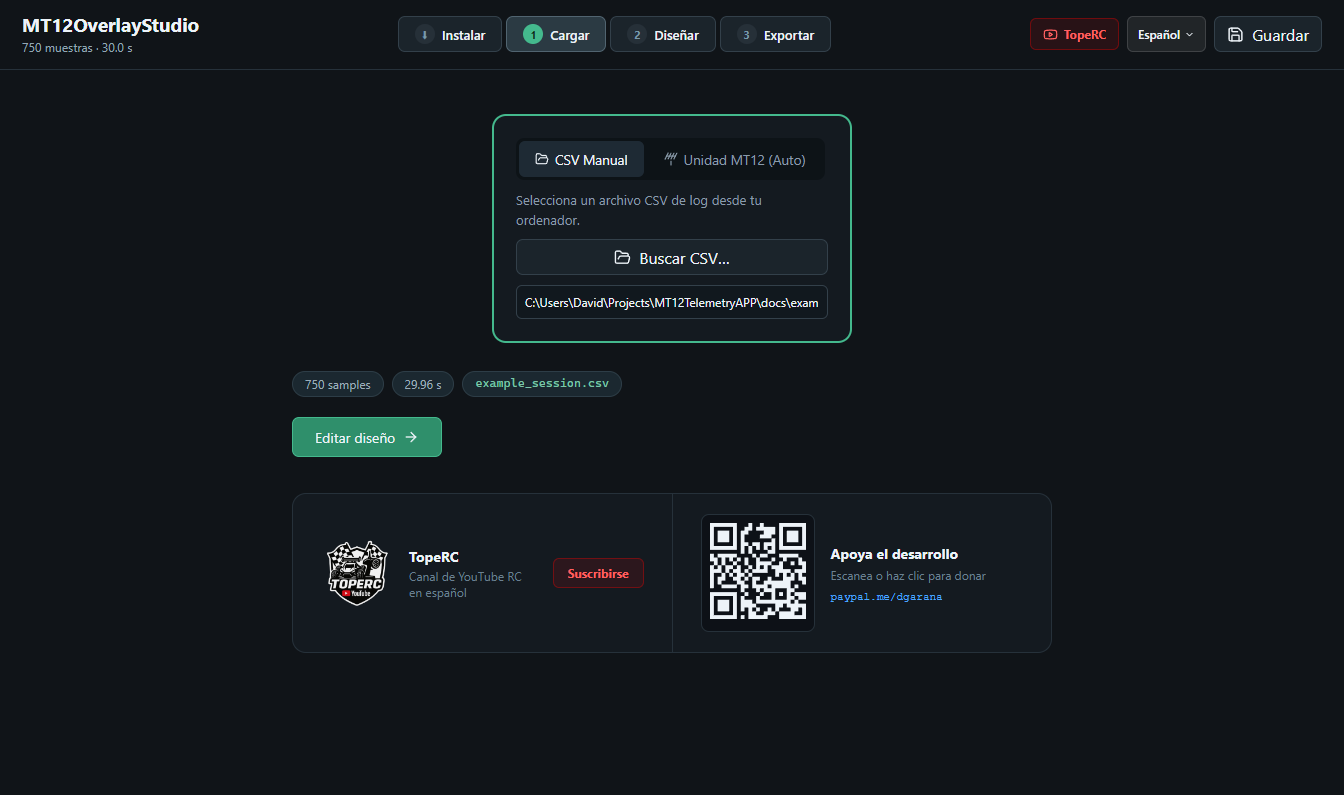
Install the Lua logging scripts on your EdgeTX MT12 SD card. The app can help copy them when you connect the transmitter by USB.
Open a CSV log, choose the data to display and place the indicators on the canvas. Scrub through the session to check their animation.
Choose a resolution and frame rate, export the transparent overlay and place it over your video. Adjust the timing in your editor.
BEFORE YOU START
The indicators depend on the channels and sensors in your log. The app cannot obtain data that your transmitter did not record.
Ready to show your next session?
Go to downloads